
User guide · Chapter 2 of 4
Feasibility: should we pursue this site?
A first look at a site before anything has been measured. Three inputs give a realistic capacity range, the land budget, a rough appraisal and a clear answer on viability at the land price being asked.
What it is for
Use Feasibility when a site first comes up and you need to know quickly whether it deserves more time and money. Nothing needs to be measured: the Model works from the site area, the council and a land price, with sensible defaults for everything else.
Typical uses
- A landowner asking what their land could be worth for housing
- A first client call or a call for sites submission
- Screening several sites to decide which to promote
- Checking whether an asking price could ever work
What you get
- A capacity range by the character of the place
- The land budget: how much of the site can be homes
- A rough appraisal and a viability verdict at your land price
- The Feasibility PDF report
The benefits
An answer in minutes
Site area, council and land price give a complete first answer. About 5 minutes on the default figures, or 20 minutes with your own.
A realistic number of homes
Capacity comes from the character of the place and real house type densities, not a rule-of-thumb figure across the whole site, which usually overstates it.
The land budget done for you
Open space to the council's standard, drainage and roads come off automatically, leaving the land that can actually be homes.
A straight answer on price
Viable or not at the price asked, and the most the scheme could pay per hectare, before anyone spends money on surveys.
How to use it
Work from the top down. The first three steps give you an answer; the rest refine it.
Enter the gross site area
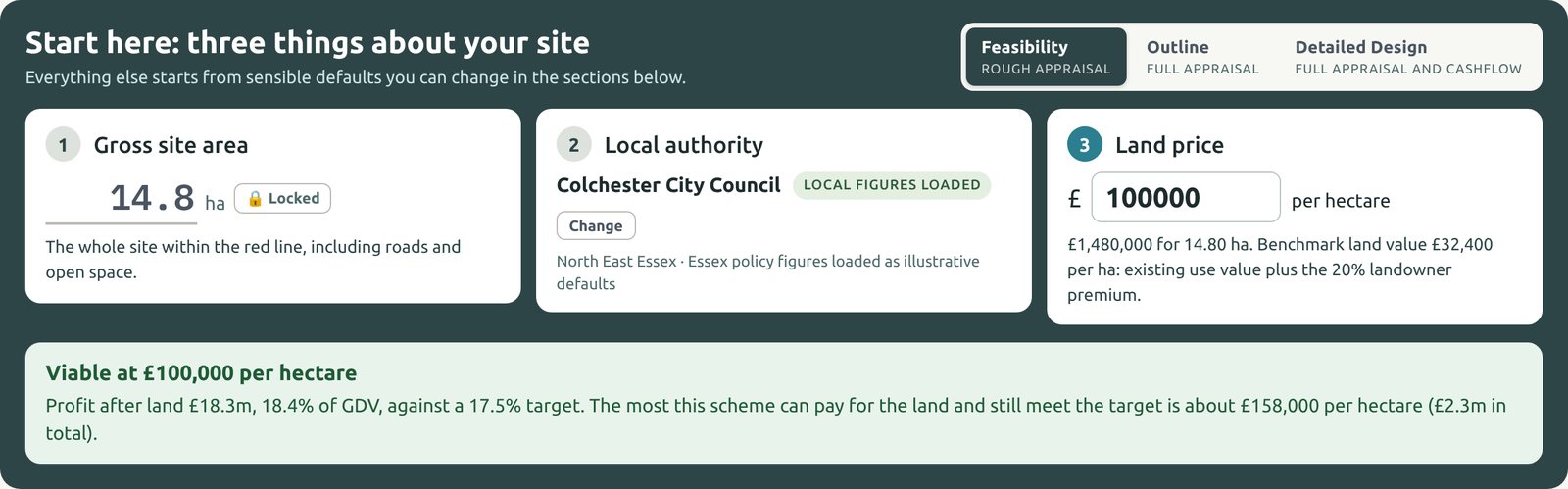
Type the whole site inside the red line, in hectares, in step 1 of the Start here panel. It is then locked, because everything else is worked out from it. If the boundary changes, click Locked to unlock it.
Choose the local authority
Start typing the council's name in step 2 and pick it from the list. Essex councils load their local figures for open space and contributions. Any other English authority starts on a national baseline, and you can enter its local figures at Outline.
See the figures it uses: open Site overview. At the bottom, Policy figures used lists the six that move the answer most: affordable housing, the open space standard, Section 106, CIL, habitats contributions and biodiversity net gain. Each is marked Default, not verified until you check it at Outline. The same list goes in the Feasibility report.
Enter the land price per hectare
Type the price asked or offered in step 3; the total for the site is shown underneath. Until you enter one, the Model uses the benchmark land value: the existing use value plus a 20% landowner premium.
The box below the three steps then gives the verdict: viable or not viable at that price, the profit as a percentage of GDV against the 17.5% target, and the most the scheme could pay for the land.
Check the land budget
Open the Land budget card to see how the gross site becomes the land for homes. The Model takes out:
- Landscape & Open Space, to the council's standard, growing with the number of residents
- SuDS & Drainage, for attenuation basins and swales
- Strategic Infrastructure, only on schemes of 700 homes or more
Add a school, shops or a care home in the Education, Commercial or Other Uses cards. What is left is the Net Residential Area.
Choose the character of the place
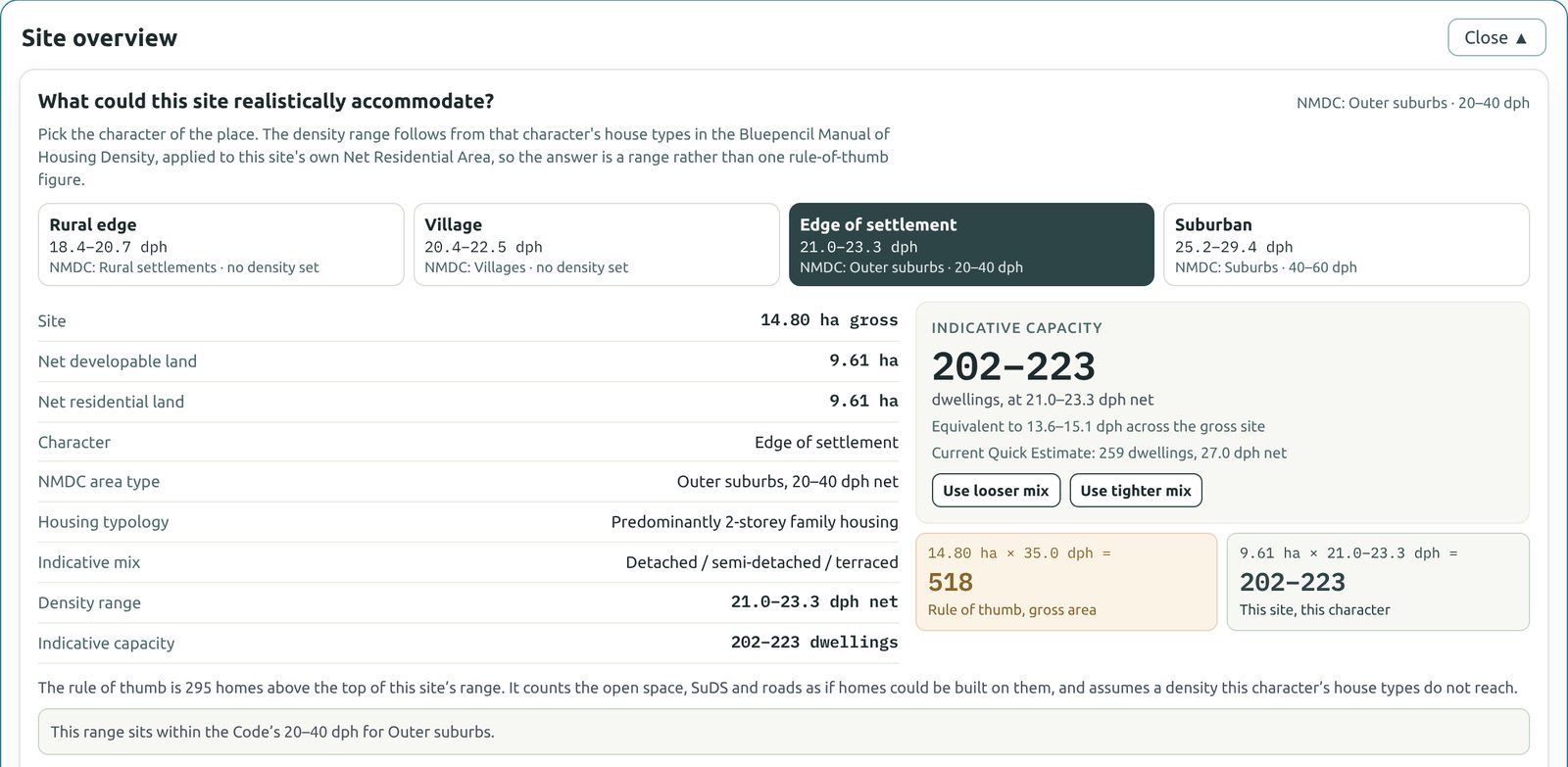
Open Site overview and pick the character: Rural edge, Village, Edge of settlement or Suburban. The Model gives a capacity range from that character's house types, applied to this site's own Net Residential Area, and compares it with the rule of thumb.
Use Use looser mix or Use tighter mix to carry either end of the range into the housing mix.
Adjust the housing mix
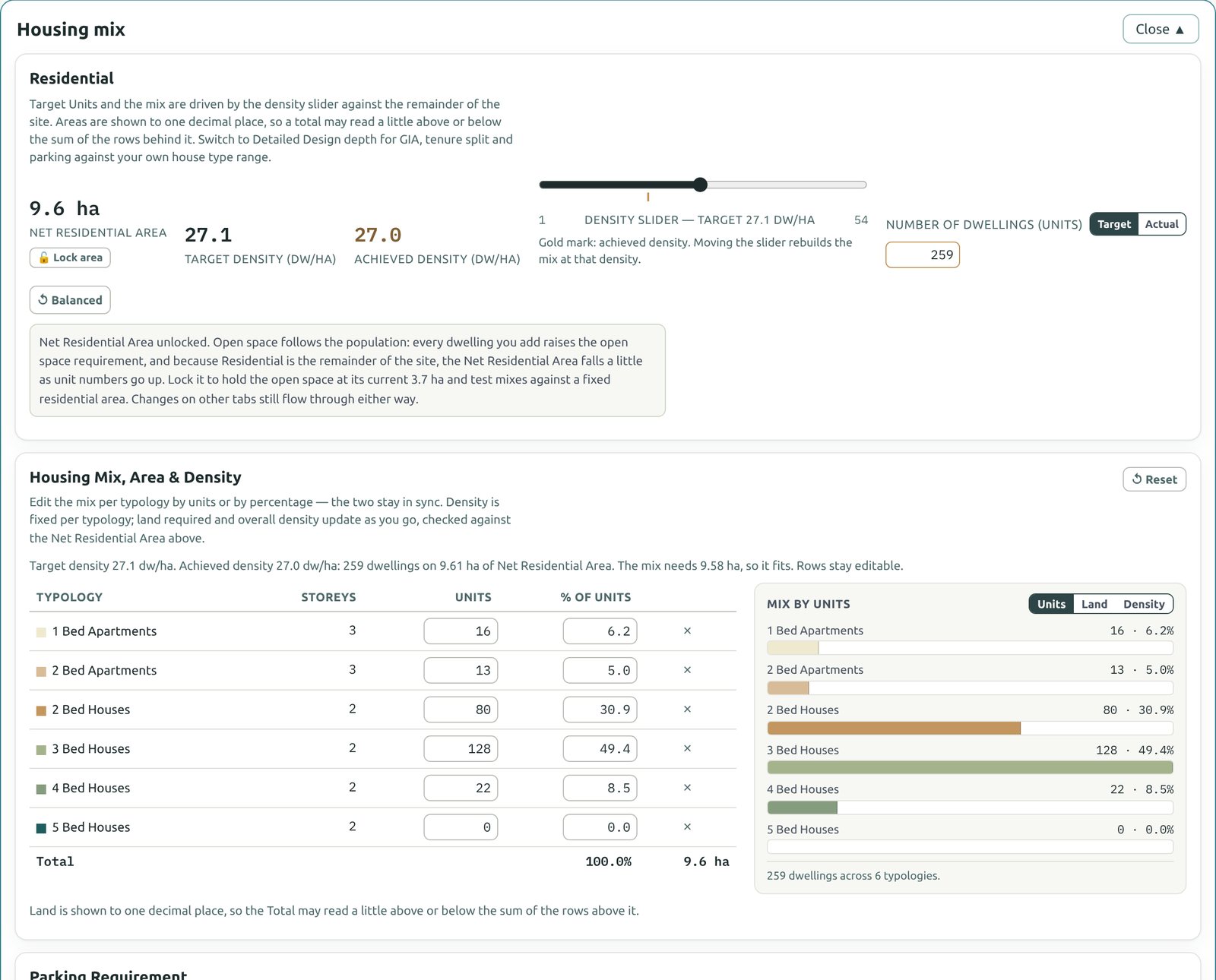
Open Housing mix. Move the density slider, or type the number of homes of each type by units or by percentage. Land required and the achieved density update as you go.
- Balanced returns the slider to the Model's balanced default density and rebuilds the mix from it.
- Lock area holds the Net Residential Area fixed while you test different mixes.
- Sales value / home shows the average price of each type. Type over it to use your own figure; it carries into Outline as the starting sales values.
Read the appraisal
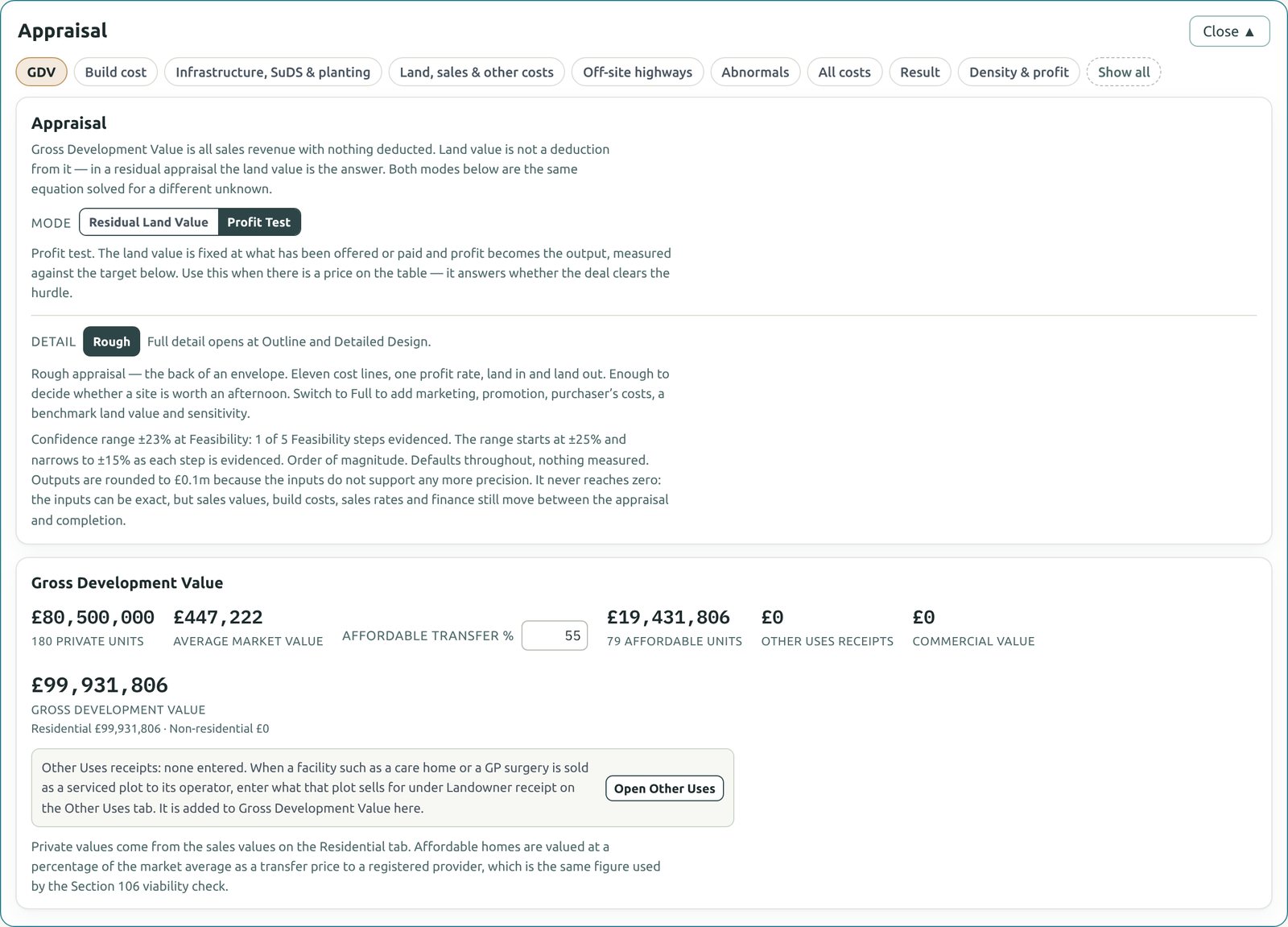
Open Appraisal. At Feasibility it is a rough appraisal: eleven cost lines, one profit rate, land in and land out. Use the buttons along the top to look at one part at a time, from GDV to Result.
- Residual Land Value mode answers "what can the scheme pay for the land?"
- Profit Test mode answers "does the deal clear the target at this price?"
- Density & profit tests the scheme at different densities. It often shows that more homes per hectare does not mean more profit.
Narrow the confidence range
Feasibility starts at ±25%. Each step you evidence narrows it, down to ±15%. The checklist beside the confidence ring ticks them off:
- Site area typed for this site
- Local Authority picked
- Density or mix changed from the default
- Land price entered
- A cost line changed from its default
Take the Feasibility report
Click PDF report, choose Feasibility, tick the sections you want and click Print / Save as PDF. The report includes the land budget, capacity by character, the housing mix, the rough appraisal and the confidence range, so the reader always sees how firm the figures are.
Chapter 3: Outline
When the site is worth pursuing: verified policy, Section 106 and CIL, your own house types, density tiles and a full appraisal.